Summer is in full swing, and Gap is clearing out its seasonal inventory with a huge Summer Sale. Right now, you can get up to 50% off clearance tees, tanks, jeans, dresses and more. And you’ll get an extra 50% off the already-reduced prices once you add the items to your cart! Meaning that, whatever the listed clearance price is, the final checkout price will be half of that.
For instance, this maxi dress is marked down to $40 (originally $118), but once it hits your cart, the price drops to just $20. Meanwhile, these cropped jeans are already on sale for half off the original price of $90, but with the extra 50% off, they’re just under $23. And there’s no special coupon or code required; just add to cart, head to checkout, and the additional discount will automatically apply.
One thing to note: Many of these clearance items are only on sale in select colors, so you’ll want to double check the price to make sure you’re getting the full discount. But, to make things easier, Gap has listed the prices for all eligible items in red. So, if you’re scrolling through the sale section, just look for red and you’ll be all set!








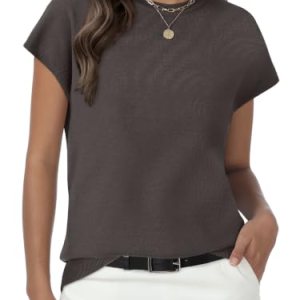



Below, we’ve rounded up some of our favorite items that are included in the extra 50% off Gap Summer Sale. We’ve included both men’s and women’s options, and we listed the current marked-down price for each item on the site — but that’s not including the additional discount you’ll get when you add it to your cart. So, shop our picks below, and get ready for some major savings!
Gap Summer Sale: Extra 50% Off Sale Items
Women’s Tees and Tops
- Waffle Baby T-Shirt, $20 (originally $30)
- Lace-Trim Cami, $15 (originally $60)
- Heavyweight Rib Halter Tank Top, $30 (originally $40)
- Linen-Blend Shell Tank Top, $50 (originally $60)
- Gingham Pointelle Shell Tank Top, $30 (originally $40)
Women’s Jeans
- Mid Rise Rigid Relaxed Flare Jeans, $70 (originally $90)
- Mid Rise UltraSoft Easy Baggy Jeans, $75 (originally $90)
- Mid Rise Rigid Relaxed Straight Jeans, $70 (originally $90)
- Mid Rise ’90s Loose Cargo Jeans, $40 (originally $90)
- High Rise Relaxed Flare Jeans, $65 (originally $90)
- High Rise Stride Wide-Leg Jeans, $75 (originally $90)
- High Rise ’90s Slim Straight Crop Jeans, $45 (originally $90)
Women’s Dresses
- Eyelet Hem Mini Shift Dress, $80 (originally $100)
- Linen-Blend Drop-Waist Mini Shirtdress, $80 (originally $100)
- Mixed Media Maxi Dress, $40 (originally $118)
- Eyelet Seamed Drop-Waist Maxi Dress, $100 (originally $118)
- Linen-Blend Lace-Inset Maxi Dress, $100 (originally $118)
- Modern Maxi Dress, $55 (originally $70)
Men’s Tees and Tops
- Heavyweight Relaxed T-Shirt, $35 (originally $45)
- Relaxed Henley T-Shirt, $30 (originally $45)
- Relaxed Pique Polo, $30 (originally $40)
- Heavyweight Relaxed Logo T-Shirt, $30 (originally $40)
- Canvas Bomber Jacket, $85 (originally $148)
Men’s Jeans and Pants
- Modern Straight Khakis, $45 (originally $60)
- Modern Baggy Khakis, $55 (originally $70)
- Relaxed Straight Trouser Jeans, $60 (originally $80)
- Rigid Baggy Jeans, $55 (originally $70)
- Linen-Cotton Relaxed Straight Trousers, $65 (originally $80)
- ’90s Loose Denim Stripe Carpenter Shorts, $40 (originally $60)

Extra 20% off Your Purchase
Take 40–60% off Fall Essentials
Shop 50% off Sweaters
Girls’ Sale Page.